Note
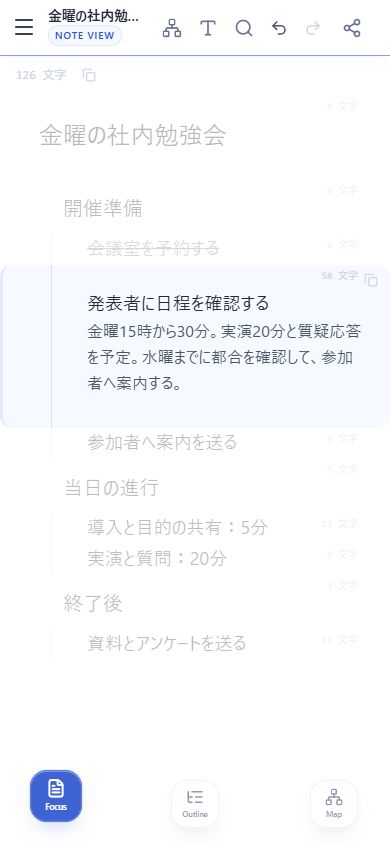
Develop each item into a passage of text.
 Layer Note
Start free
Layer Note
Start free
Layer Note brings notes, outlines and mind maps together. Plan a project, break it into tasks, and keep the details alongside them.
Start for freeWrite the details
Organize the tasks
See the whole plan
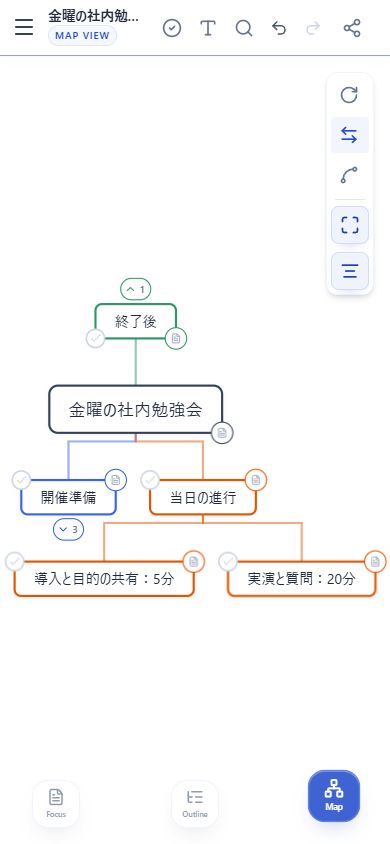
Choose a view or swipe sideways to switch. Tap or click the video to play or pause.
01 — Change your perspective
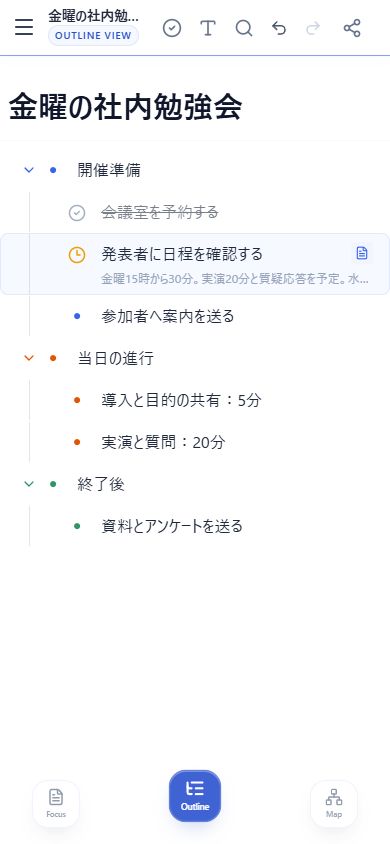
Read the writing, arrange the structure, or explore the connections.
Switch views without making another copy.
Develop each item into a passage of text.
Arrange headings and details in a clear hierarchy.
Follow the branches to see the whole structure.
02 — Outline
03 — Note
04 — Mind map
05 — Import and export
You can also copy Note text or print the selected view.
06 — Connect and protect
With Pro, continue on your approved devices under the same account.
With Pro, invite people and choose view or edit access.
Content is encrypted on your device. An optional device PIN protects its key.
Email recovery is off by default. If enabled, the service operator may be able to recover and read your content.
Make it yours
Switch between light and dark, or follow your device. With Pro, schedule the change or let sunset set the timing.
Choose a colour theme. Pro also lets you adjust colour temperature and saturation.
Blue and cyan for clear focus
Preview: cool tone, standard saturation. Warm tone and soft saturation are available with Pro.
In your language
The app interface supports nine languages. Change the display language in settings while keeping your notes as they are.
In practice
Free & Pro
| Feature | Free | Pro |
|---|---|---|
| Projects | Up to 3 | Unlimited |
| Items per project | Up to 50 | Unlimited |
| Three views, counts and task states | Included | Included |
| Markdown import and exports | Included | Included |
| Encrypted local storage | Included | Included |
| Sync and E2EE for your own projects | — | Included |
| Invite others to a project | — | Included |
| Accept a project invitation | After signing in | Included |
| Colour themes | 2 | 5 |
| Colour temperature and saturation | — | Included |
| Choose light or dark, or follow your device | Included | Included |
| Scheduled and sunset dark mode | — | Included |
| Per-device app lock | After signing in | Included |
| Ads | None | None |
| Plan | Price | Payment |
|---|---|---|
| Monthly | 350 JPY / month | Renews monthly |
| Yearly | 3,500 JPY / year | Renews yearly |
| Lifetime | 7,800 JPY | One-time payment |
Monthly and yearly subscriptions are charged at signup and automatically on each renewal date until canceled. The lifetime plan is charged once at purchase.
Payments are made by credit card and processed by Stripe. Pro features become available after successful payment. Internet connection and data charges are paid by the customer.
The free plan includes 3 projects with up to 50 items each. Use all three views, character counts, progress tracking, Markdown import and export. There are no ads. After signing in, you can also accept an invitation from a Pro project owner.
An outline arranges headings and child items in order, helping you structure writing and tasks. A mind map shows relationships as branches. Layer Note switches between views of the same content, so you do not need to enter it again. Explore examples for writing, studying and planning.
Use Layer Note in a supported browser. Cloud sync between devices is a Pro feature. See Pro pricing.
Create a note for freeCancel your subscription through the in-app settings at least 24 hours before the next renewal date to avoid the next charge. Pro access continues until the end of the paid period. No prorated refunds are offered for cancellation during a billing period.
Due to the nature of digital services, returns, refunds and exchanges are not accepted after purchase, except where required by law. For problems with the service or your purchase, contact the email address below.
See our Commercial Disclosure and Terms of Service for the full conditions.
Use the latest Google Chrome, Safari, Firefox or Microsoft Edge with JavaScript and cookies enabled. A screen width of at least 375px is recommended.
Please contact us by email for record keeping and prompt handling. Our address and business information are available in the Commercial Disclosure.